Problem
Many solitaire apps open with accounts, clutter, or noise before you ever see a deal. The game should feel immediate — tap in, play a hand, see if you solve it.
Approach
A clear solitaire loop on mobile. Title screen, deal, play, solve. Progress stays on device. Version 2.1 shows ads through Unity LevelPlay (Unity Ads and ironSource Ads).
What it does
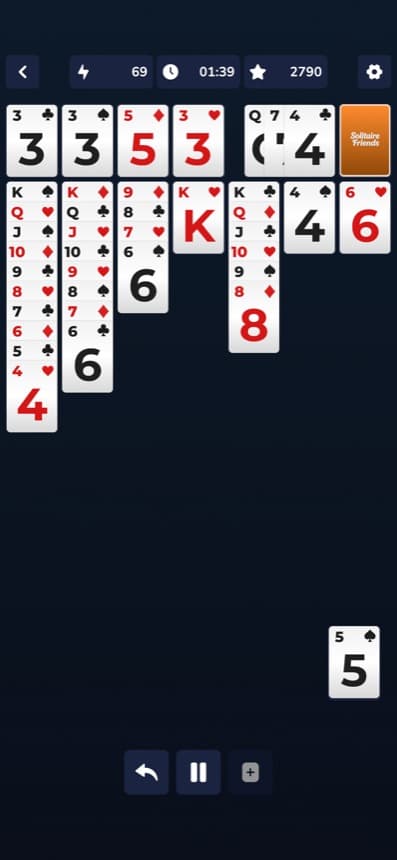
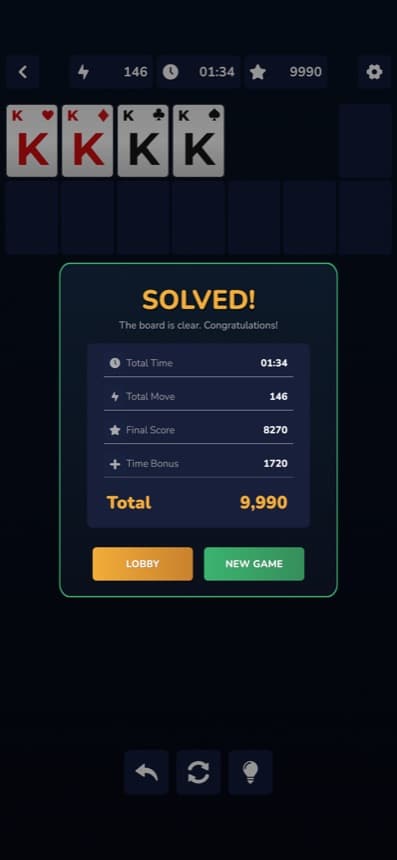
Solitaire Friends is classic solitaire for mobile. You resume a game or start a classic deal, move cards with touch, and aim to clear the board. When a hand is finished you see the outcome — time, moves, and score — then you can deal again. The focus is the table, not a social feed or a long setup.
How to use it
Open the app, choose Resume or Classic Game from the title screen, and play the board. Drag or tap according to the rules of the deal. When you solve a layout, review the result and start another. Game progress stays on your device. If you reinstall, local progress is cleared. On iOS, Apple’s Allow Tracking prompt may appear before ads start — you can allow or ask not to track.
How it was built
The game is built in Unity with C# for mobile. Version 2.1 wires advertising through Unity LevelPlay so Unity Ads and ironSource Ads can serve and measure ads. Authorized sellers are listed in app-ads.txt on this site. The product side includes the play loop, title and solved screens, on-device progress, and the support and privacy pages required for the Store.
Technologies
- Unity
- C#
- iOS
Gallery
Swipe or use the arrows to browse screens.


Next
